

PRODUCT CENTER
—
PRODUCT CENTER
—
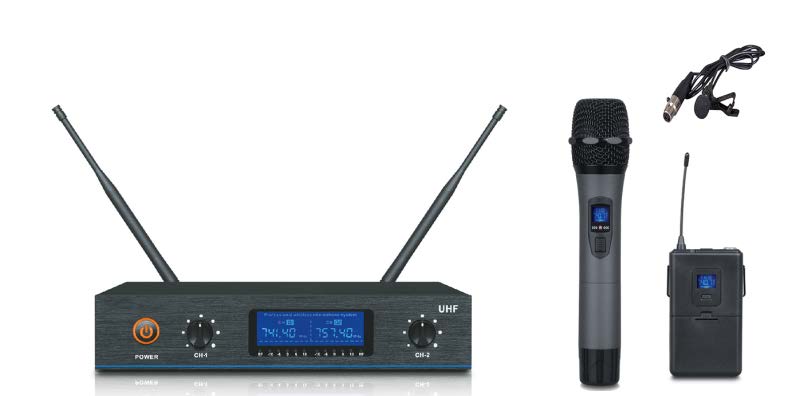

Professional Wireless Microphone WM-U200G
this product uses innovative design such as PLL dual channel phaselocked
loop, UHF frequency and random digital pilot, each channel has a
randomly generated identification code and preset frequency to resist
interference effectively; this product also uses audio compression expansion,
high-fidelity audio transmission, etc. to delivers high-quality sound quality, it is
the easiest way to achieve the best sound.
Feature: this product uses innovative design such as PLL dual channel phaselocked loop, UHF frequency and random digital pilot, each channel has a randomly generated identification code and preset frequency to resist interference effectively; this product also uses audio compression expansion, high-fidelity audio transmission, etc. to delivers high-quality sound quality, it is the easiest way to achieve the best sound.
Product instructions
1. Place the wireless receiver, install the standard antenna, and connect the power adapter of the system;
2. Use this 6.35 audio transmission cable, one end is connected to the "MIX OUT" jack of the receiver, and the other end is connected to audio input jack of the mixer or amplifier;
3. Adjust two antennas of the receiver to be perpendicular to the ground; turn on the power switch, the power indicator lights up and enter standby mode;
4. Handheld microphone operation
- For powering the handheld microphone, you can either use two 1.5 V AA size batteries or the rechargeable batteries which are purchased by users.
- Press the POWER button. The handheld microphone display panel lights up.
- Check RF indicator on receiver is lighting or not, it lights up means you can use the device.
- When transmitter’s battery works out, display panel is flashing, you need to change new batteries in time.
- Press the POWER button until display panel off.
- Please unplug the batteries when unused for long periods of time.
5.Bodypack transmitter operation
- For powering the Bodypack transmitter, you can either use two 1.5 V AA size batteries or the rechargeable batteries which are purchased by users.
- Insert clip microphone or headset microphone
- Turn on the switch. The display panel lights up.
- Check RF indicator on receiver is lighting or not, it lights up means you can use the device.
- When transmitter’s battery works out, display panel is flashing, you need to change new batteries in time.
- Turn off the power switch.
- Please unplug the batteries when unused for long periods of time.
6. Meeting microphone operation
- For powering the meeting microphone, you can either use two 1.5 V AA size batteries or the rechargeable batteries which are purchased by users.
- Press the POWER button. The meeting microphone display panel lights up.
- Check RF indicator on receiver is lighting or not, it lights up means you can use the device.
- When transmitter’s battery works out, display panel is flashing, you need to change new batteries in time.
- Press the POWER button until display panel off.
- Please unplug the batteries when unused for long periods of time.
7. The best pickup effect is that the angle between the microphone head and your mouth is 45 degrees and the distance is 4~8cm.


 Copy product links
 Long by picture save/share
INQUIRY


Add Successfully
INQUIRY
Add Successfully
Related Products
-

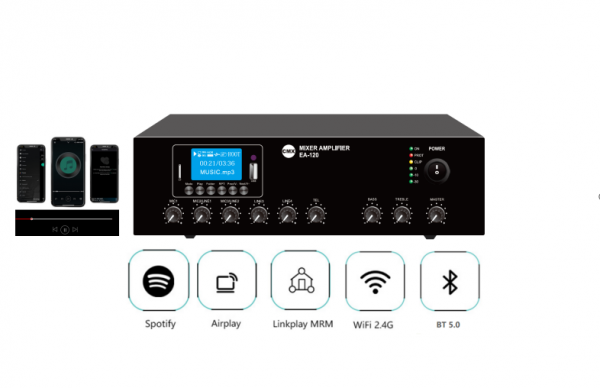
Wi-Fi Internet Streaming Amplifier with USB/SD/FM/Bluetooth EA-30W/EA-60W/EA-120W
Wi-Fi Internet Radio Streaming Mixer Amplifier with audio sources, support IOS and Google App download the linkplay add to use mobile for remote control, with 3 mic, 2 aux, 100V & 8 Ohms. The tabletop mixer amplifier is of rated power output of 30W, 60W to 120W, which is designed to connect multiple units of 100V loudspeakers for background music system and two zone paging system.
-
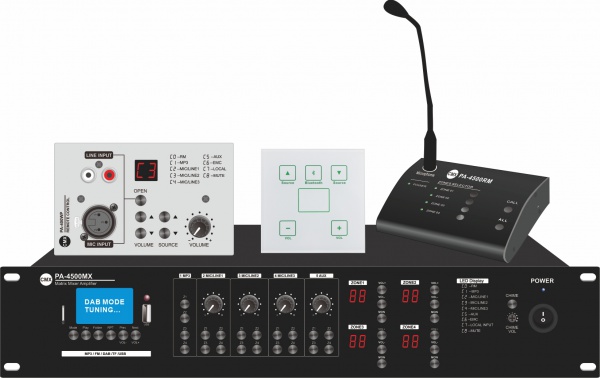
PA-4120MX PA-4240MX PA-4350MX PA-4500MX 4 Zone Mixer Amplifier with USB/SD/FM/Bluetooth
PA-4500MX is a 4 Zone mixer amplifier or 4 channel mixer amplifier, which support 100V & 8 Ohm two outputs at the same time, 3 mic, 1 aux, RMS 120W by four channel to 500W by four channels. With remote paging microphone PA-4500RM and remote control PA-4500SV and PA-4500WP as option to add with system. Ideal for multiple room multiple music audio matrix system for hotel, fitness center, restaurant and theme park sound system etc.
-
5G Wi-Fi Wireless Conference System Controller 5G-100MC
Wireless Conference system, wireless audio conference system, wireless digital conferencing system, wireless Audio Conferencing System for Small Meeting Rooms, wireless digital conference microphone system, wireless digital conferencing microphone system, wireless Audio Conferencing System for big Meeting Rooms, wireless discussion conference system mic
-
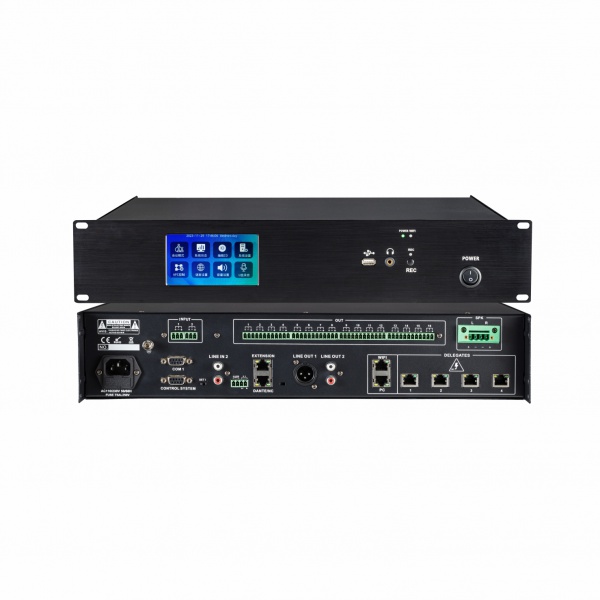
Digital Conference System Controller WS-200MC
Compatible with CE, EMC, ISO9001, ISO14001, EC 60914 & GBT15381-94.Non compressed audio transmission, 48K sampling rate, 80Hz~16KHz bandwidth.Supports a maximum of 4096 wired conference units and 250 wireless conference units.Built-in DSP processor,with audio matrix, noise suppression, EQ,volume,delay and other adjustment functions.Support PELCO/VISCA camera control protocols, support camera auto tracking through IR & presets.

Leave A Message

 Service
 Serice
 Service
 Email
Email